
I have been playing with Windows 7 again. While reading through a few Windows 7 blogs, I came across an article that described how to change the Logon background in Windows 7.
If you have not had a chance to see Windows 7, this is what the default logon background looks like:
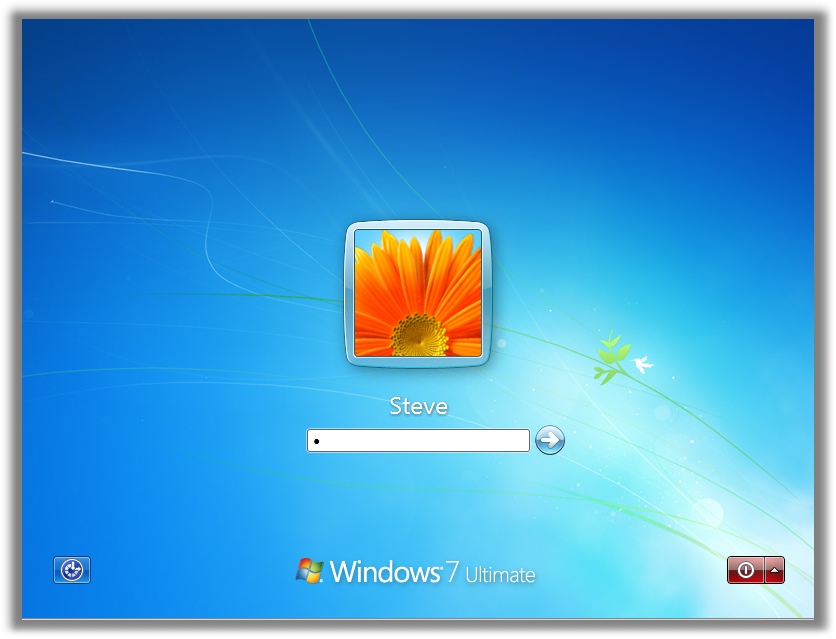
Very similar to the layout in Vista, but, in Windows 7 you can change it.
Microsoft has added this feature for OEMs…so in the future I would imagine the logon screen will be filled with Dell, HP, ASUS, etc.
Before I talk about our free utility, let me explain what needs to be done if you want to do this yourself without our free program.
To make the change you need to first open regedit, and create this key:
HKEY_LOCAL_MACHINE\Software\Microsoft\Windows\CurrentVersion\Authentication\LogonUI\Background
Then once you have created that key, add a new DWORD Value named OEMBackground and set it to 1
Now, you need to place the image file (It must be a jpeg) in the following folder (You may need to create some of these folders along the path)
%windir%\oobe\info\backgrounds
The file must be named backgroundDefault.jpg – and very important – it must be under 256KB in size, or windows will ignore it.
Sound like too much trouble to change the background pic? Then you can use our free utility:
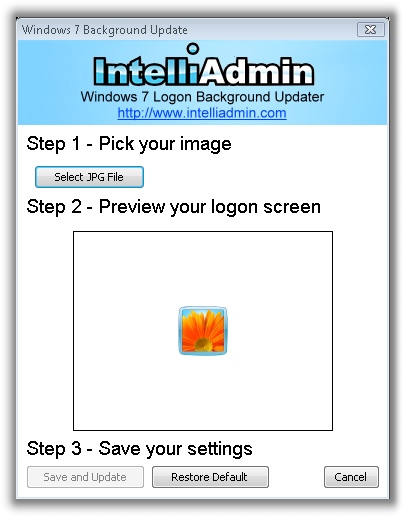
The program will take care of the registry changes…and better yet it will reduce the image size to fit into 256 KB. It makes it very easy to change the background.
Here is the download link:
As always – no spyware, adware – only freeware goodness
One more thing…Subscribe to my newsletter and get 11 free network administrator tools, plus a 30 page user guide so you can get the most out of them. Click Here to get your free tools
{ 8 comments… read them below or add one }
Hey Steve,
Any idea if this trick will work on Windows 2008 R2?
I have not had a chance to test it, but since R2 is the server version of Windows 7, I don’t see any reason why it would not work.
Works with Win 7 upgrade version build 7600 🙂
Didn’t work with my windows 7 ultimate 64 upgrade. Any ideas?
I haven’t tried the app, but the path to the image should be
%windir%\system32\oobe\info\backgrounds.
This site
http://www.withinwindows.com/2009/03/15/windows-7-to-officially-support-logon-ui-background-customization/
indicates various files with specific names and sizes can be loaded while the backgroundDefault.jpg image will stretch to fill the screen. Haven’t tested this since my screen size (1920×1080) isn’t in the list.
Thank you very much! 🙂
This doesn’t work!
Windows 7 x64, 🙁
Ah… It’s too bad that I need administrative privileges if you try to do it either way. 🙁