Previous Posts


How to change the password reminder

Generate random passwords using Windows XP

Hide your name from the start menu

Microsoft announces a *new* zero day flaw for word...

Adobe releases Acrobat Reader 8

Dell to produce green machines

Zero day flaw reported in Windows Media Player

Show hidden devices in Windows XP

Remove search bar from IE 7

Microsoft announces serious zero day flaw for Offi...


Archives

May 2005

January 2006

April 2006

May 2006

June 2006

July 2006

September 2006

October 2006

November 2006

December 2006

January 2007

February 2007

March 2007

April 2007

May 2007

June 2007

July 2007

August 2007

September 2007

October 2007

November 2007

December 2007

January 2008

February 2008

March 2008

April 2008

May 2008


Subscribe to our Feed:


Clear recent documents list on logoff

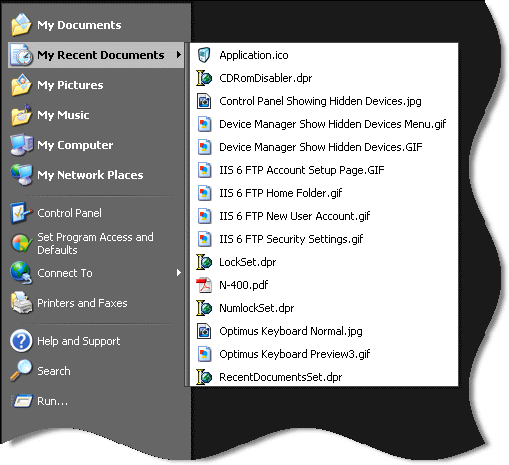
Many times when using windows, your recent documents list gets loaded up with documents you don't want people to see:

Recent Documents

You can tell windows to clear it every time you logoff. You will need to fire up regedit and browse to this key

HKEY_LOCAL_MACHINE\Software\Microsoft\Windows\CurrentVersion\Policies\Explorer

Add a dword value named ClearRecentDocsOnExit and set it to 1

Now every time you exit windows, your recent documents list will be cleared.

If you don't want to mess with the registry, we have created a program that will do it for you:
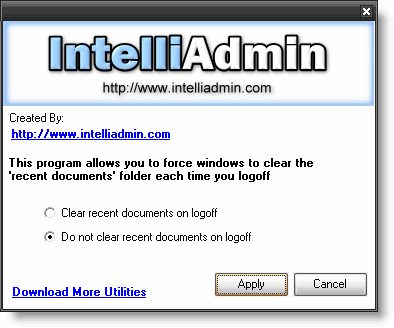


Download it from here - No spyware, or adware. Only freeware goodness.


Posted By: Steve Wiseman on Friday, December 15, 2006

Check out our utilities for windows


Copyright © IntelliAdmin, LLC, 2008. All Rights Reserved