
One of the things I hate to see when booting up a system is that a service failed to start.
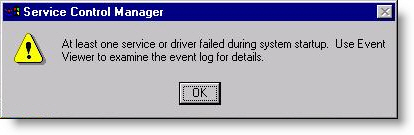
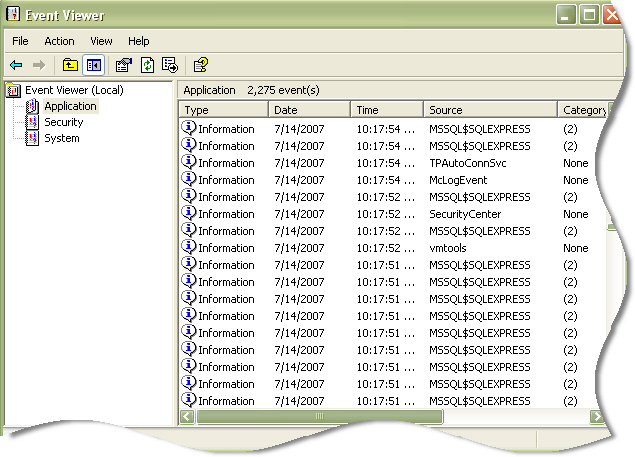
This usually means combing through the event viewer to identify the service that failed. It can be annoying because of the time you need to spend looking through unrelated events.
I wanted a way to speed up this process since I see this problem frequently in the field.
One of the tricks I use is to open service manager and sort by start type. Then I look through all of the services that are set to automatic…and make sure they are started.
I wanted to get this same information as fast as possible, so I created a script that will go through all services on a system and spit out the ones that are set to automatic and have not started.
You need to run it from the command line, and use the cscript.exe engine to execute it…like this:
cscript.exe ListFailedServices.vbs
(Download the script here)
Lets look at the output from one of my problem systems:
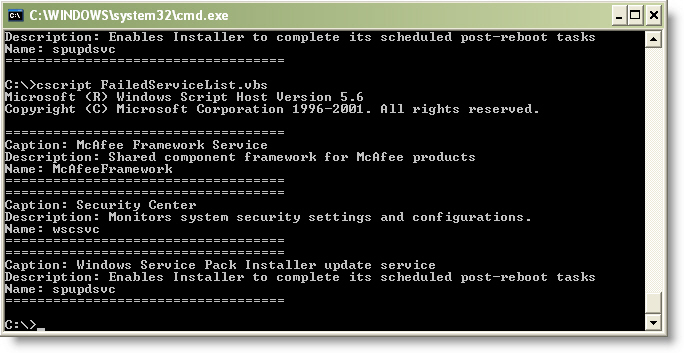
Notice that there are a few services here. Sometimes it is normal…yes normal that a service will start automatically and then stop. After you use this script for a while you will instinctively know what Microsoft (And others) services do this.
In this case I know right away that McAfee is having trouble. It should not stop…so now I can start getting to business and figure out why it didn’t start.
The script is not perfect. Sometimes manual services are started by other services at startup, and those will not show up with the script. Still – it is another tool that will help you save time when diagnosing a problem.
One more thing…Subscribe to my newsletter and get 11 free network administrator tools, plus a 30 page user guide so you can get the most out of them. Click Here to get your free tools