
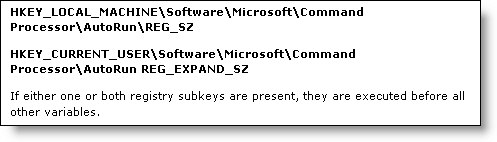
When I was looking at the documentation for the registry and keys associated with the command processor I came across this:
Hmm. For the fun of it I opened up the key and put ‘notepad.exe’ in the AutoRun value.(To see how this actually worked)
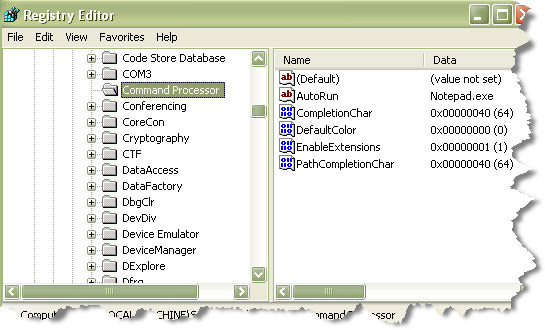
Any time I opened a console application, or a command prompt window notepad would launch – and the command processor would not start until it was closed. This includes the users login script.
So. This means whatever program I put in this key will execute, and the command processor will wait for it to finish before continuing.
This is perfect for something I was trying to do a few months back. I wanted to dynamically set a few environment variables – and have them available to any console based application. I tried putting it in the logon script, but that didn’t work since the environment variables only lasted for that session.
I ended up using the CALL command within each batch file I had. This was difficult because the batch files were part of an aging third party application – There were hundreds of them. Also some of them were automatically generated from time to time by the application, so the solution was not perfect.
I went back and setup my “set environment variables” batch file in the AutoRun key of the registry (Side note – make sure you put quotes around the full path of the filename in this key…or it will get lost on the first space it sees).
Then I removed my added call commands. Now when I ran any command prompt my custom environment variable script executed dutifully.
Better yet, since it is a registry key I was able to write a quick login script that updated all the clients on the network with the new setting.
I am not sure how often most administrators will need to use this registry key, since usually a login script will work for what you need. Still – the AutoRun key for the command prompt has its purpose. Now that you know it is there you have the option to use it when needed.
One more thing…Subscribe to my newsletter and get 11 free network administrator tools, plus a 30 page user guide so you can get the most out of them. Click Here to get your free tools