
I was upgrading my home network over the weekend, and one of the changes I wanted to make was the location of the favorites folder.
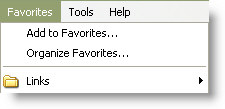
Unless you are using roaming profiles, your favorites folder will always be on your local hard drive. This means that if you login to more than one computer you will have a different set of favorites each time.
I wanted to set my favorites folder to a network share, but keep other shell folders like the desktop – local. I thought it would be easy enough…did a search of the registry and found this key:
HKEY_CURRENT_USER\Software\Microsoft\Windows\CurrentVersion\Explorer\Shell Folders
Under it you can easily see we have a list of shell folders and their locations:
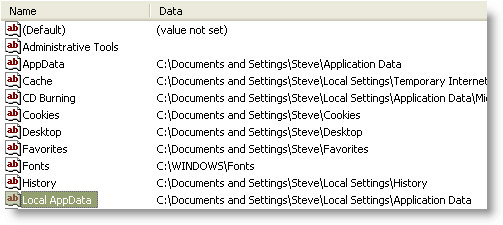
I changed it, and nothing happened. Actually something did happen. It changed back to the old folder every time I refreshed it. I was convinced it was some group policy I had set way back when…and I was searching through my domain controller for quite some time.
Until I accidentally searched twice for “Favorites”
I found this key:
HKEY_CURRENT_USER\Software\Microsoft\Windows\CurrentVersion\Explorer\User Shell Folders
Argg! The first key is some type of cached copy or mirror of the second. As soon as I modified the location of Favorites under the second key Internet Explorer was accepting the change…and that first key automatically updated!
Now I had exactly what I wanted. I simply updated all of my machines with this new key, and I had a common list of favorites that I could see on every machine. At the same time my other shell folders were still local and not stored on the network.
One more thing…Subscribe to my newsletter and get 11 free network administrator tools, plus a 30 page user guide so you can get the most out of them. Click Here to get your free tools
{ 3 comments… read them below or add one }
Thank you so much. I needed your article to see the light. The same thing happened to me. It’s strange that there are 2 favourites in the registery. Bless you
Thanks have been looking for a solution for this for a while!
Yes, it works, but when the favorites location is set to a network location, such as the users home folder than I have the problem that the recently typed urls in the address bar are not saved!
Can you help me?
Kind regards,
Dirk