
The windows path completion is a great feature. It has been in variants of Unix forever.
Here is how it works. You start typing a path at the command line:
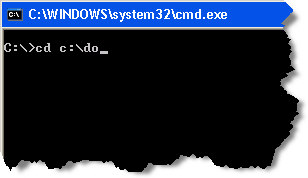
Then hit the Tab key and it finds the first folder that matches. Keep hitting tab and it will cycle through all of the matches. (Hold shift while tapping tab and it will go in reverse)
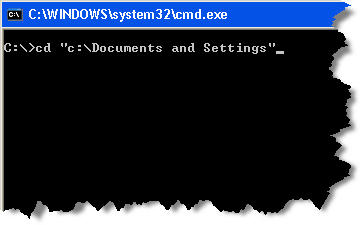
I find myself on Windows 2000 workstations more often than I would like to admit, and get annoyed because this feature is not available.
I was convinced it was an XP only feature. I was looking through the registry on a 2000 Workstation for something totally different – and I came across this key:
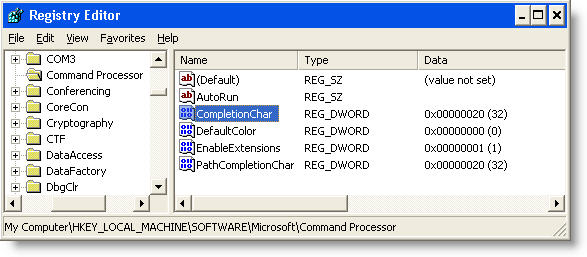
If you change CompletionChar and PathCompletionChar to 9, then it will work under Windows 2000 too.
While writing this article I did some research and came across some information that indicates that this feature was enabled in later distributions of Windows 2000, and disabled in earlier releases of XP. It creates a situation where the feature randomly seems to work across different machines. Either way – updating these registry keys will turn it on (From 2000 and up), and it will work as advertised.
One more thing…Subscribe to my newsletter and get 11 free network administrator tools, plus a 30 page user guide so you can get the most out of them. Click Here to get your free tools