
Windows File and Printer sharing is used for a wide variety of services in windows. If it is disabled, you can’t do many things remotely…such as:
-Access the admin$ share
-Stop and start services
-Access the registry
-Shutdown, Logoff, or Reboot
Also, without it – our product Remote Control LAN edition cannot connect to a host with windows file and printer sharing disabled. Originally we had a guide that walked you through the process of enabling it.
It is not as simple as you think. There are a few parts to the process, such as turning off a feature called “Simple File Sharing”, and making sure the ports were opened in the firewall.
We created a utility that was only linked from within the user manual of LAN edition. It was called the XP SP2 Enabler
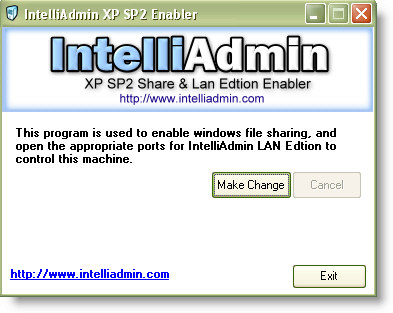
It worked great for almost a year. Suddenly in the last few months we started to get complaints that it wasn’t working. I decided we needed to pull it off the website, fix it, and put it back up.
I figured it would only take a few hours…maybe a day. A few hours turned into a few days…a few days into a few weeks…well we should have put something up letting people know that it was taken off the website.
We finally have finished a totally new version, and have determined that the method we were using previously, worked, but was broken by a newer patch. After lots of testing are ready to release a new version.
Currently it is only for the command line. We will make a visual interface later, after this gets out of beta.
The reason why we made it a command line program was because many of our utilities needed file and printer sharing enabled. If you downloaded our Remote USB disaber – you probably did not want to walk around to all 150 of your machines to turn on file and printer sharing…just so you could remotely disable USB drives.
Without any more of my blabering here is the download link:
http://www.intelliadmin.com/FPEnabler.exe
You can simply call it like this from the command line:
FPEnabler.exe -enable
To undo the changes you can call it again:
FPEnabler.exe -disable
What does it do? It enables file and printer sharing, disables simple file sharing, and opens the ports needed for file and printer sharing.
It is still beta, so please send us an email on how well it works for you.
One more thing…Subscribe to my newsletter and get 11 free network administrator tools, plus a 30 page user guide so you can get the most out of them. Click Here to get your free tools
{ 1 comment… read it below or add one }
can you send me a copy of fpenabler.exe i cant find it in the net please