
Yes it is a strange error message. After removing McAfee Anti-Virus from one of my machines I kept getting this each time I launched Outlook:
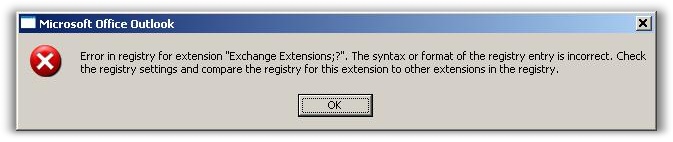
I thought I could stop the error by going into advanced options and disable the old McAfee extensions. Unfortunately – nothing from McAfee was there
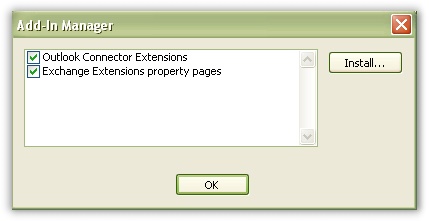
After doing some searching over at MS I found this KB article:
http://support.microsoft.com/kb/823633
The short version is:
Drill down to this registry key:
HKEY_LOCAL_MACHINE\Software\Microsoft\Exchange\Client\Extensions
The delete the value named “Exchange Extensions”
Then launch Outlook again. Now the errors are gone, and Outlook will recreate the key.
I also realized that this bug was fixed in SP1 of Outlook 2003, so I promptly upgraded it so I would not have it happen again.
Lastly, it seems that the removal of McAfee was only coincidental – According to the MS fix these are the steps you can take to reproduce the error:
1. Send an e-mail message to a recipient by using the following method:
Right-click an object, point to Send To, and then click Mail Recipient.
2. Wait 24 hours or more.
3. Send a second e-mail message to a recipient by using the method that is described in step 1.
I had already upgraded to SP1, so I couldn’t try it out and see if this really was the problem, either way I am glad it was an easy fix.
One more thing…Subscribe to my newsletter and get 11 free network administrator tools, plus a 30 page user guide so you can get the most out of them. Click Here to get your free tools
{ 1 comment… read it below or add one }
Hi
Yes this was due to upgrade of the sp and add in, you did the right job for short out your problem.