
I continue to be surprised by the number of people still using Windows 95/98/ME. I asked people earlier to let us know if they were interested in a 9x patch (For New Zealand), and we have gotten so much email we have had a hard time answering it all.
Your wish has been answered and we have released a new 9x patch that includes New Zealand.
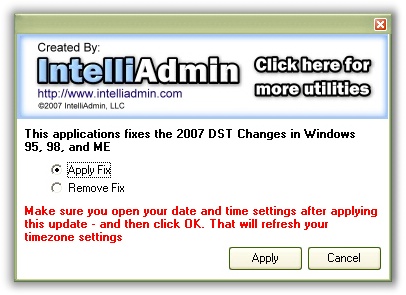
We were looking for many ways to automatically refresh the DST tables, but all of them have their flaws – They simply bring up the date and time window instead of refreshing.
So you will need to do this by hand. It is simple to do.
1. Apply the patch
2. Open your date and time by double clicking on the time in the corner
3. Click OK on the date and time window
Now your system is updated.
Also this patch can be called with the /qinstall and /quinstall command line arguments.
Here is the download link:
http://www.intelliadmin.com/DaylightSavingFix98.exe
One more thing…Subscribe to my newsletter and get 11 free network administrator tools, plus a 30 page user guide so you can get the most out of them. Click Here to get your free tools