Previous Posts


Show system Info on your desktop

Set the default email client across your network

Enable Windows XP File Sharing from the command li...

More on backing up Auto Complete URLs in IE

Generate a report of installed drivers

Adobe finally releases fix for reader flaw

Terminal Server has reached maximum connections - ...

Backup auto complete URLs in Internet Explorer

Recover deleted items in Outlook

The admin$ share explained


Archives

May 2005

January 2006

April 2006

May 2006

June 2006

July 2006

September 2006

October 2006

November 2006

December 2006

January 2007

February 2007

March 2007

April 2007

May 2007

June 2007

July 2007

August 2007

September 2007

October 2007

November 2007

December 2007

January 2008

February 2008

March 2008

April 2008

May 2008


Subscribe to our Feed:


Autocorrect no longer working in Outlook 2003

I was using Outlook 2003 over the last few weeks, and I started to notice that my terrible spelling and typos were getting past me.

It seems that the auto-correct feature was simply not working
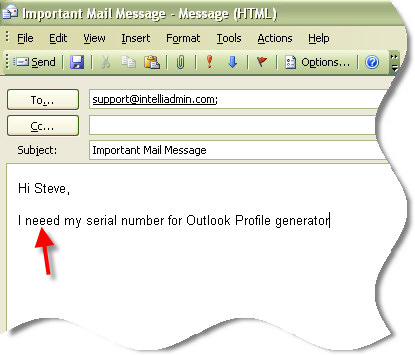
Auto Correct Not Working 2003

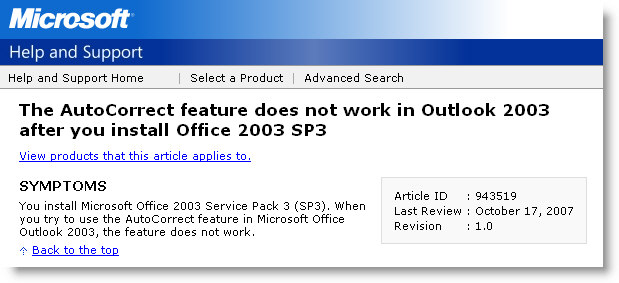
After thinking about it I realized that I had installed Service pack 3 for office recently...so I did a search of the MS KB.

Auto Correct Problem 2003 Outlook

The solution is simple. Click on tools, then options, then move over to the mail format tab. Check the box that says "Use Microsoft Office Word 2003 to edit e-mail messages"

After that, the auto-correct feature started working properly again.


Posted By: Steve Wiseman on Friday, November 02, 2007

Check out our utilities for windows


Copyright © IntelliAdmin, LLC, 2008. All Rights Reserved