Previous Posts


Free Kiosk Utility for Windows

Update Vista System Support Information

HP to sell the first Windows Home Server systems

IE Parental Controls - How to remove them

Autocorrect no longer working in Outlook 2003

Show system Info on your desktop

Set the default email client across your network

Enable Windows XP File Sharing from the command li...

More on backing up Auto Complete URLs in IE

Generate a report of installed drivers


Archives

May 2005

January 2006

April 2006

May 2006

June 2006

July 2006

September 2006

October 2006

November 2006

December 2006

January 2007

February 2007

March 2007

April 2007

May 2007

June 2007

July 2007

August 2007

September 2007

October 2007

November 2007

December 2007

January 2008

February 2008

March 2008

April 2008

May 2008

June 2008

July 2008

August 2008

September 2008

October 2008

November 2008


Subscribe to our Feed:


Lock your computer with a double click

If you like this article, then sign up for our email newsletter to get more like it every day in your inbox

Many times I need to run away from my computer quickly...but I do not want to leave my computer unlocked.

So, yes, I am extremely lazy, well clumsy too. A few times when I am in a rush to CTRL-ALT-DEL I have knocked an entire bottle of water on to my keyboard.

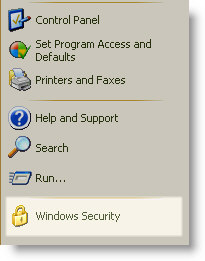
I know that windows has a shortcut for locking the computer. It shows up on the start menu when you remote desktop into a Windows XP machine. See the Windows Security Icon - That locks it.

Lock Workstation Shortcut

Did some Google searching, and yes it is easy to create your own.

Right click on the desktop and Click on New, then Shortcut.
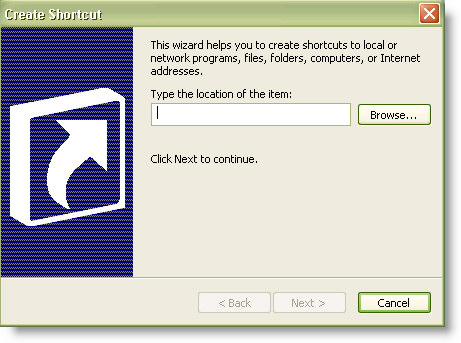
Create Lock Workstation shortcut

For the location, type this:

%windir%\system32\rundll32.exe user32.dll LockWorkStation


Click next, then give it a descriptive name like "Lock Workstation" and then click finish.

Now you have an icon to lock your computer on your desktop. You can do it without lifting two fingers (You still need one :) )


Posted By: Steve Wiseman on Thursday, November 08, 2007

Check out our utilities for windows


Copyright © IntelliAdmin, LLC, 2008. All Rights Reserved