
Now that Vista is starting to permeate the enterprise…I have started to get quite a few questions like this:
Steve, we just replaced 10 machines, and they all are running Vista. We have a ‘one time’ script that we need to roll out that requires administrative access. Every time we run it, it fails, and the users *are* administrators of their own machines. Know any way around this?
Yes. The reason why the script is failing is because Vista executes it with limited access – even if they are an administrator.
To get Vista to run a program as an administrator, you need the program to be elevated to full access. Vista will only show the elevation (UAC) prompt if the application requests it, or if it is detected that the program is actually an installer.
If you have not had the pleasure of using Vista yet (I am joking), it looks like this:
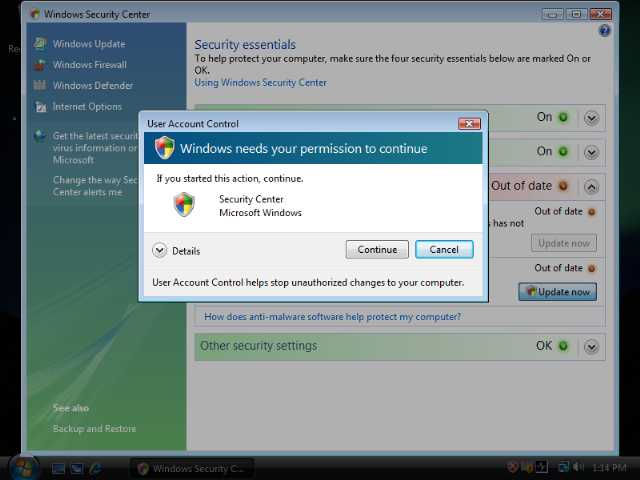
To force Vista to request administrative access, you need to have two scripts. The first script will force the prompt, and if accepted it will call the second script (The one you wanted to run) with the elevated administrative rights.
With some creativity we can distill it down to one script. This is accomplished by having the script call itself.
I have put something together that does just that… Just add this code to the start of your script, and it will force a UAC prompt.
‘This flag is used to determine if we are being called the first time
‘or if we are being called the second time with elevated access
Dim bFoundUAC
‘The sSA object will allow us to execute applications
Set sSA = CreateObject(“Shell.Application”)
‘Set our flag to the default
bFoundUAC = FALSE
‘See if we are inside the second calling of the script
if (WScript.Arguments.Count=1) then
if (WScript.Arguments(WScript.Arguments.Count-1)=”UAC_PROMPT”) then
bFoundUAC = TRUE
end if
end if
‘If we are not called the second time, then call the script with elevated access
if (bFoundUAC=FALSE) then
‘Build our script command line
sCommandLine = Chr(34) & WScript.ScriptFullName & Chr(34)
‘Build our arguments
for iCount=0 to WScript.Arguments.Count-1
sArguments=sArguments & ” ” & Chr(34) & WScript.Arguments(iCount) & Chr(34)
Next
‘Add our trigger to the end
sArguments=sArguments & ” UAC_PROMPT”
sArguments=sCommandLine & sArguments
sSA.ShellExecute “wscript.exe”, sArguments, “”, “runas”, 1
‘Since we are re-launching the script we exit now
WScript.Quit
end if
‘Your usual script code would be placed here
One thing to note is this script works by adding an argument to the end of all the arguments you originally passed it. This is how it knows that it has been elevated. Otherwise it would keep running itself in an infinite loop. In most cases this will not be a problem, but it is something to check if you do use arguments in your script.
Bonus: This script will also prompt for elevation when your XP users are not administrators:
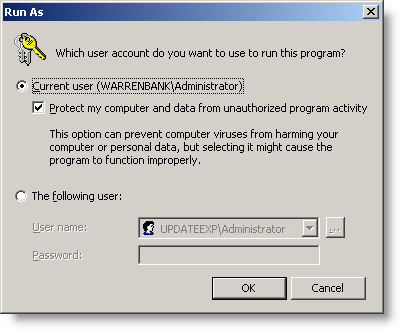
Actually…I think it will prompt for elevation no matter what.
Finally, this method is much better than the previous article on the subject – since you don’t need anything extra to elevate your script.
One more thing…Subscribe to my newsletter and get 11 free network administrator tools, plus a 30 page user guide so you can get the most out of them. Click Here to get your free tools