
Like I said in my last post I was going to give ESXi a spin. VMWare just made it free. It is their response to Hyper-V from Microsoft. I have already setup a Hyper-V 2008 box here…it took me forever to get the thing to work under Server Core 2008. Even with all that work I am now willing to blow it away and start all over again with ESXi. The features it has are just too compelling to ignore. To top it all off the thing is free.
Firstly. It has no host operating system. It has a 32MB footprint. This alone beats the pants off of Hyper-V. Secondly VMWare does not restrict you with their tools. You can install VMWare tools on any hosted operating system you can think of…Microsoft requires that you have the latest service packs. This can be a real pain when you are trying to use those machines for testing. Want to see how an application behaves under XP with no service packs? Well under Hyper-V you need to suffer with sluggish mouse and Video – since the tools will refuse to install.
Management. Yes Management. ESXi uses the Virtual Infrastructure client to manage it. This will work over any TCP connection. With Hyper-V you need to use RPC. This makes it much more difficult to manage a machine that is far away over the internet.
In addition, there are lots of settings and status information that Hyper-V is not even close to. For example…the performance graphs
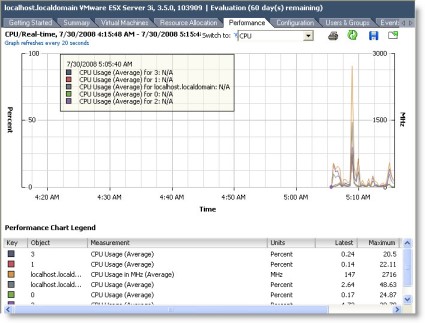
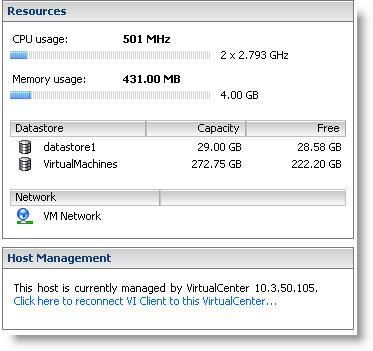
With a quick glance you can see what your resource utilization is at:
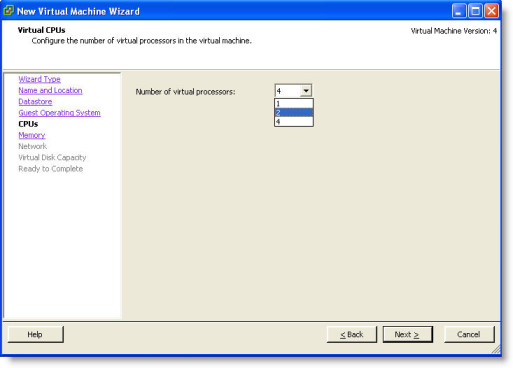
And other features they both have…Support for multiple processors:
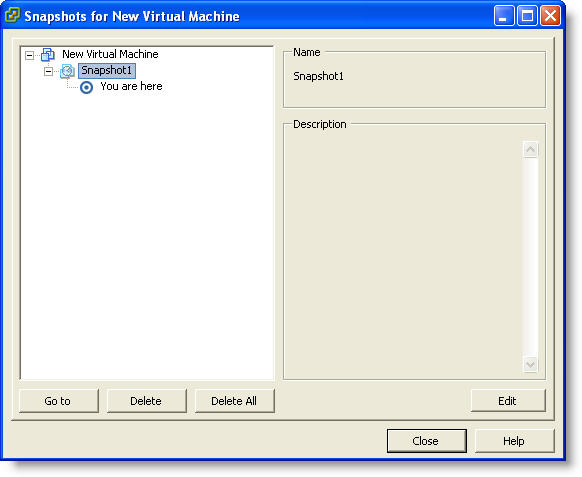
A big issue for me is multiple snapshots. This feature was always disabled on free editions in the past. Not so anymore:
There is a ton I have not covered here, but I would give it a try if you are starting to experiment with Virtualization.
I have already started setting up a few new machines on it and I am very impressed. I am much happier now too since I don’t have to worry about another windows box running as the host…that would be just another machine to patch, and scan.
To get your free copy, simply visit the download site:
https://www.vmware.com/tryvmware/login.php?eval=esxi&t=1
Make sure you use a good email address…since you do need to use the serial number they send you, otherwise it will expire in 60 days.
One more thing…Subscribe to my newsletter and get 11 free network administrator tools, plus a 30 page user guide so you can get the most out of them. Click Here to get your free tools
{ 3 comments… read them below or add one }
Thanks for posting this terrific review! You describe the product with a clarity that VMware couldn’t convey. I waded through their site and couldn’t make any sense of it. The more I read, the more questions I had. You brought it home and provided me the information I wanted. To wit, what OS does this thing need as host?
Thank You!
No OS. It runs with a very small footprint, so it actually boots and runs by itself.
how to you setup daily snapshot on ESXi and would you be able to point the snapshot a bigger drive?