
There is something that has always annoyed me about the way windows shares are displayed to a user – they get to see all of them!
Yes I know about putting a $ after the share, such as c$, or admin$, but what about those shares that the president of the company wants to have – and doesn’t want his employees to even know that they exist?
Finally Microsoft has put out a utility to fix this. It is called “Access-based Enumeration”. It is only available for Windows 2003 SP1
The offical download page is located here:
Microsoft Access-Based Enumeration
Once you start the install, you get asked a simple question:
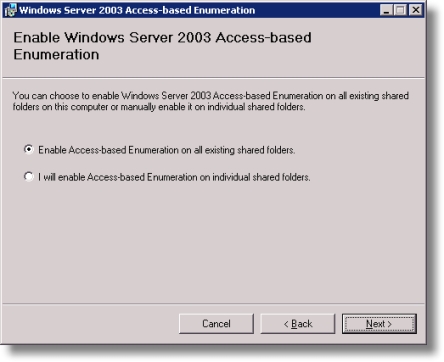
If you select all, then access based enumeration will be enabled for all current shares on the system – otherwise you will need to set them each individually.
Once the install is finished, a new tab appears when looking at the properties of a share:
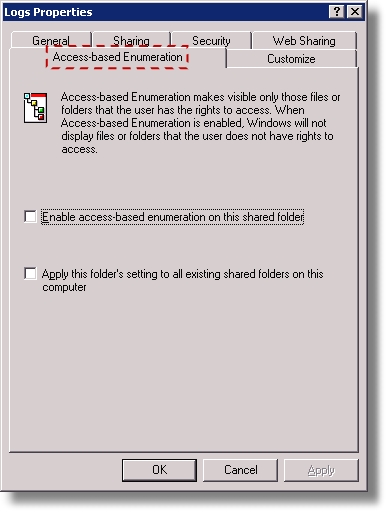
Thats all there is! You can either turn it on or off.
Too bad they don’t have this type of functionality for 2000, or 2003 without SP!
One more thing…Subscribe to my newsletter and get 11 free network administrator tools, plus a 30 page user guide so you can get the most out of them. Click Here to get your free tools