
News, Product Information, and Tips
Check out our free utlities in the downloads section

Remote Administration


Remote Administration For Windows. Easy remote access of Windows 7, XP, 2008, 2000, and Vista Computers

Click here to find out more

Create Outlook Profiles


No more setup wizards in Outlook. Setup Outlook Profiles automatically from the command line

Click here to find out more

Network Administrator


Reboot Hundreds of computers, disable flash drives, deploy power managements settings.

Click here to get your free copy of Network Administrator. Over 25 plugins to make your life easier

USB Disabler


Disable Flash Drives for specific users, or only allow specific drives.

Click here for your free trial

Search

Archives

Slow down Vista animation using the shift key.

by Steve Wiseman on November 17, 2006 · 0 comments

in Windows

Here is an interesting feature that is hidden within Vista. By creating this registry key:

HKEY_CURRENT_USER\Software\Microsoft\Windows\DWM

And then create the value: AnimationsShiftKey (DWORD) and setting it to 1

You can slow down windows animations by pressing the shift key. This is the the animation you see when minimizing, maximizing or closing the window.

This only works if you have the aero interface turned on.

Here is a program that will set the key for you.
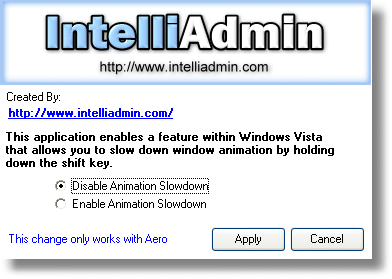


Download it here
– As always we promise that the download does not contain any spyware, adware, or viruses. Only freeware goodness!

Like this article? Then sign up for my newsletter to get free tips and software sent right to your inbox once a week. Like you, I hate spam – I will never spam, or sell your email address.

Related Articles:

Leave a Comment

Category Links - Windows Forum - Exchange Forum