
I was working on a friend’s system last night I was having problems activating it.
First of all the Windows Activation icon was totally missing, and second it never would pop up and ask me if I wanted to activate windows. If I looked into the event log I could see errors that windows needed to be activated.
The history of the machine is somewhat cloudy. It stopped booting about a week ago, so my friend ran a Windows XP repair from the boot disk. Unfortunately he used an old Windows XP SP1 disk. This had the unfortunate effect of creating a Frankenstein version of windows with DLLs from SP1 and SP2 mixed around….so this probably had a lot to do with why the activation screen was not showing.
After doing some google searches I found a way to force the Windows Activation dialog to show. This can be done by calling this from the command line:
%systemroot%\system32\oobe\msoobe.exe /a
Unfortunately when I call this Windows came back and told me it was already activated. This was puzzling. I was getting errors running automatic updates (Saying I was not activated), but Windows Activation still thought everything was great.
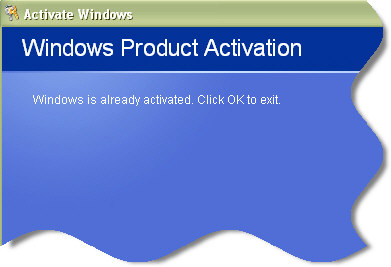
I thought that if I could just get windows to run updates…I could get the system back to normal
After doing some more searching I found a way to reset Windows Activation. To un-activate windows you simply need to drill down to this registry key:
HKEY_LOCAL_MACHINE\Software\Microsoft\Windows NT\Current
Version\WPAEvents
See the value “OOBETimer”? Modify any of the hex codes in this value and click OK. (If you are thinking about doing this yourself….you are doing it at your own risk!)
Now my friends copy of windows ‘knew’ it was not activated, and I could re-activate.
After that I could start downloading patches and installing updates again. When all of the patches completed the system worked perfectly.
One more thing…Subscribe to my newsletter and get 11 free network administrator tools, plus a 30 page user guide so you can get the most out of them. Click Here to get your free tools
{ 2 comments… read them below or add one }
This is new. I mean the method… well, to me anyhoo. Thanks for the warnin’, I know it’ll sound arrogant, but lemme go ahead ‘n’ say it anyway… I’m just the kinda person who’ll take the risk -I really dig meddling with my comps and can’t tell you how much i appreciate the info. Might not sound like it, but I take this stuff seriously too -er just haven’t gone to skool for it… fun stuff nonetheless.
Thanks again, I’ll let ya know what it did -heh
oops… say how much for that fixer app -er 5got to bak da reg up yo.