
For a while now it has been impossible to receive your free hotmail (Now called live mail) in Microsoft Outlook.
They added a restriction that only paid accounts could receive mail this way. It was very annoying since every other free email service provides a way to get mail in Outlook (Usually via POP3).
Finally they have fixed this situation, and released a new and improved Windows Live/Hotmail Outlook connector. It works with Outlook 2003, and 2007.
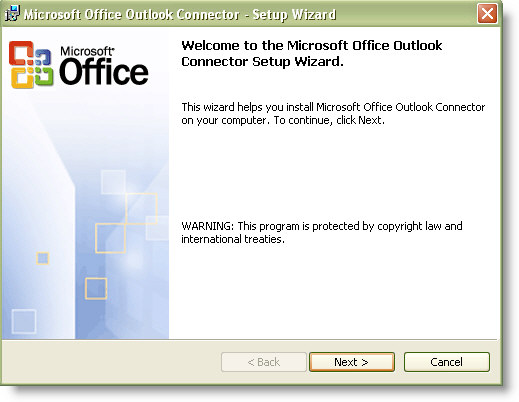
The install is very simple. (Download it here). Download the connector and run through the setup.
Once it is installed a new connection option will show up in the Outlook account setup.
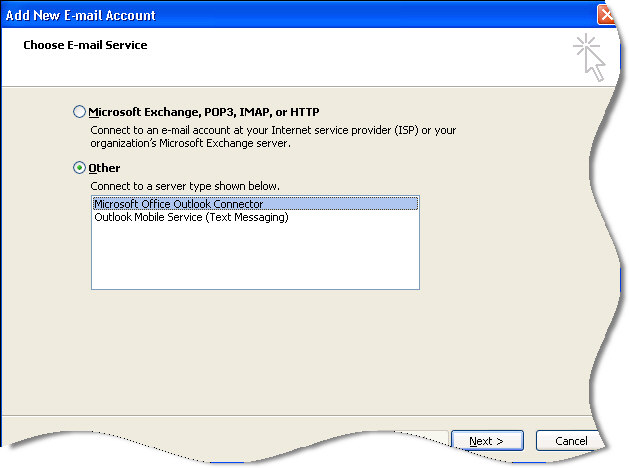
Or…just launch Outlook and it will prompt you the first time you run after the Connector install. Simply fill out your live/hotmail username and password.
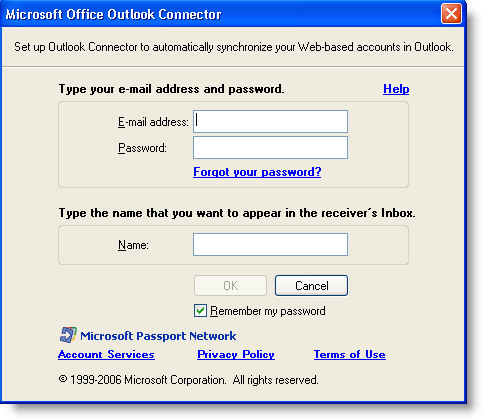
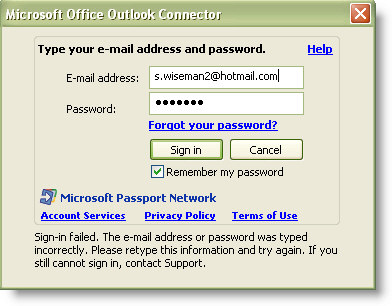
The first time you launch it you will be prompted for a password. You can force it to remember (And it actually does!)
Now you can get your free hotmail/live email in Microsoft Outlook. The only restriction is that you cannot synchronize your calendar unless you have the paid version.
One more thing…Subscribe to my newsletter and get 11 free network administrator tools, plus a 30 page user guide so you can get the most out of them. Click Here to get your free tools
{ 9 comments… read them below or add one }
I have proceded as shown but it is not working, outlook can not recieve hotmail
mails.
It works for me.
Outlook Connector versión 12.0.6423.1000
Cuenta: xxxxxxx@hotmail.com
Inicio de sesión satisfactoria el 2/25/2010 8:12:10 PM
Correo: actualizado correctamente a las 8:38 PM.
Calendario: actualizado correctamente a las 8:38 PM.
Contactos: actualizado correctamente a las 8:38 PM.
Thank you very much. It worked for me
I do not belive that your instructions to bring the Hotmail emails into MS Outlook is complete.
what about the “incoming and Outgoing” server settings?
the More Settings Tab:
General Tab, Outgoing service Tab,Connection tab,and most important the Advanced Tab, the incoming and outgoing radio channel settings.
Your advice please.
I do not think that the instructions are complete. Settings: Incoming outgoing service the more settings and the radio channel settings and more. your advice, olease.
Hello Frank,
This article is getting old, and I think the process has changed quite a bit. Not even sure if MS supports this anymore
Thanks, it’s working!
Just an update, this did help me but the steps to get it working were much easier once I worked it out.
Download the Outlook Connector and install.
Open the Outlook Connector and add a new account through it instead of the normal fashion.
I spent all day trying the myriad of different ways listed on the internet and this worked a treat in the end. I am glad I found this post which led me in the right direction.
The download link that you have posted is not valid. This is the correct URL for 64 bit OS:
http://office.microsoft.com/en-us/outlook-help/microsoft-office-outlook-hotmail-connector-overview-HA010222518.aspx
this is the URL for 32 bit OS:
http://www.microsoft.com/download/en/details.aspx?displaylang=en&id=24677
Yes it works and it is much easier than your illustrations. It does all of the work for you and downloads all of your folders. AWESOME!