
I have a backup log that I create every night…on three different servers. They are all separated by many miles across the Internet. I wanted to find an easy way to send them all to one central location, but at the same time I did not want to have any extra software to do it.
The key requirement of not needing additional software meant that I would need to script FTP in some way.
After playing around with it at the command line, I discovered the -s option. It allows you to feed it a file that it will use to play back ftp commands.
Lets look at what I need to do to send this file
1. Connect to the host (ftp.somesite.com)
2. Send the username and password (administrator/Password1997)
3. Send the file (c:\logs\backups.log)
4. Disconnect
In FTP commands this converts to:
open ftp.somesite.com
administrator
Password1997
bin
put c:\Logs\Backup.log
quit
the bin command makes sure that ftp does not try to do any text conversions with the file.
Save the script to a file (In my case I called it FtpScript.txt)
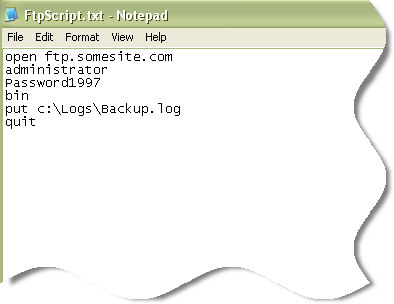
Now if we call it at the command line it will automatically upload the file
(ftp -s:FtpScript.txt)
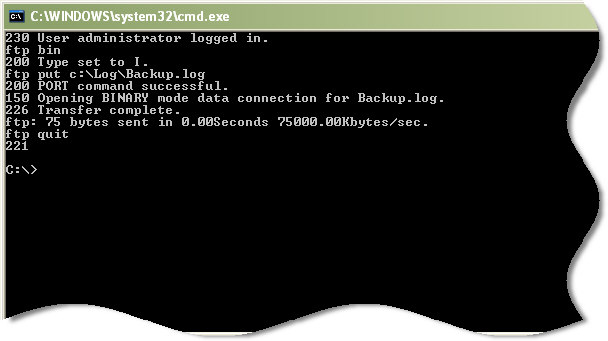
Now I can schedule it to run every night, and the backup logs are uploaded automatically.
One more thing…Subscribe to my newsletter and get 11 free network administrator tools, plus a 30 page user guide so you can get the most out of them. Click Here to get your free tools
{ 1 comment… read it below or add one }
This is great. Do you have a way to automate e-mail files to auto upload to an FTP site? For example, taking an attachment from an e-mail file that is sent to you daily and automating the uploading to an FTP site.
Any ideas or programs?