
I have written in the past about the things I do not like about Vista, but the Windows UAC (User Account Control) prompt is not one of them.
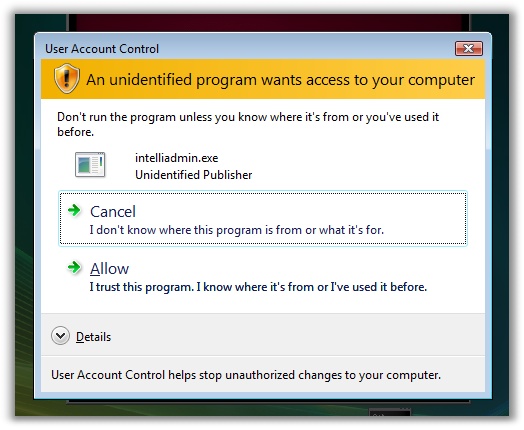
You may be surprised about that, since most people will list this as their #1 annoyance. I don’t because I know it is only temporary.
Many people mistakenly think that its purpose is to thwart Spyware, Viruses, Etc. I could tell the minute I started using Vista with UAC enabled it had nothing to do with directly (Yes it does indirectly) stopping bad programs from running on your computer.
Its primary purpose was to change the behavior of programmers. It was a way to force them to start writing their applications so they work properly in a limited user environment. I can tell you right now, as a developer I wanted to do everything I could to avoid the UAC prompt from showing when my applications ran. I can bet other developers feel the same. (Side note…we are still working on getting all of our apps to not require admin access in Vista 🙂 )
This means that during the initial release of Vista the UAC prompt would be popping up for almost every application. Why? Because the majority of applications were written to require administrative access. Over time if applications are updated to the new model…the UAC prompts for the user will be reduced over time.
That is the second phase of this process. Once a majority of applications are updated, the number of times the UAC prompt will be shown will be very small. In this second phase is where the benefit is finally reaches the user.
When we are in that environment (Where most applications have been updated to handle a limited user account)…The user will expect that 99% of the applications will not require administrative access. If they do see the prompt, they will think long and hard before clicking that continue prompt.
Until then we will be barraged by prompts while working in Vista. I wouldn’t have it any other way. I would much rather be the one to make the decision to take an administrative action, instead of an unknown software vendor making that decision for me.
There is an excellent article over at Microsoft that describes what I am talking about in detail. It is worth the read:
The long term impact of user account control
One more thing…Subscribe to my newsletter and get 11 free network administrator tools, plus a 30 page user guide so you can get the most out of them. Click Here to get your free tools