
I was doing some house cleaning on one of my systems and I noticed a few test accounts that had been sitting around for over a year. I don’t like having dormant accounts laying around since it creates a higher possibility that someone could use them to get in.
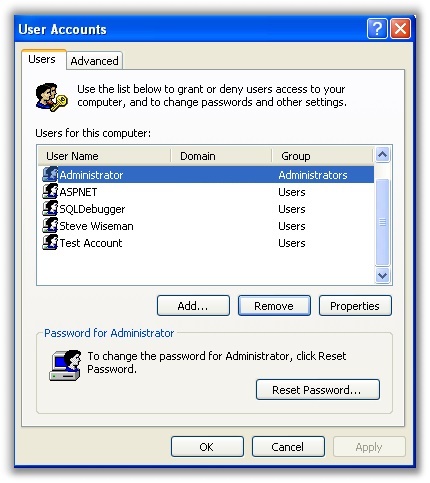
I wanted an easy way to list all accounts that have not been accessed within the last 60 days…on every computer on my network.
To start out I wrote a script that would output a list of dormant accounts on a single remote computer.
Here is my first crack at it:
‘Minimum age of account we want to report (In Days)
iDays = 60
Sub ReportUnusedAccounts(sComputer)
‘Get a connection to the remote computer
Set poComputer = GetObject(“WinNT://” & sComputer)
‘Used as a flag to see if we could see any accounts on the remote computer
bFoundAccount=FALSE
‘Loop through each account and see how old it is
For Each poItem in poComputer
if poItem.Class=”User” then
‘Update our counter so we know we found at least one account
bFoundAccount=TRUE
‘Get the number of days since the last login
iDuration=DateDiff(“D”,poItem.LastLogin,Date)
‘If greater than our trigger, then report
if (iDuration > iDays) then
sOutput = sOutput & sComputer & “, ‘” & poItem.Name & “‘, ‘” & poItem.LastLogin & “‘,'” & iDuration & “‘” & vbLF
end if
end if
next
‘If we saw no accounts, then we had a problem connecting
if (bFoundAccount=FALSE) then
Wscript.Echo sComputer & “, ‘Could not connect, or access denied'”
else
WScript.Echo (sOutput)
end if
end sub
When I call the function in the script, it comes back with a comma delimited list of accounts that have not been accessed for more than 60 days.
I needed to do this for every computer on my domain. So I added a script that would query the domain for a list of computers, and execute the above function on each one:
‘Make sure we got our argument from the command line
if (WScript.Arguments.Count=0) then
Wscript.Echo “***************************************”
WScript.Echo “* IntelliAdmin, LLC *”
Wscript.Echo “* http://www.intelliadmin.com *”
WScript.Echo “* (Unused Accounts Reporter) *”
WScript.Echo “***************************************”
WSCript.Echo “Missing Arguments. Usage shown below: “
Wscript.Echo “UnusedAccounts.vbs “
else
‘Get domain object so we can query a list of computers
Set DomObj = GetObject(“WinNT://” & WScript.Arguments(0) )
‘Filter only computer objects
DomObj.Filter = Array(“computer”)
‘Loop through all computers and execute our ReportUnusedAccounts sub
For Each sComputer In DomObj
ReportUnusedAccounts sComputer.Name
Next
end if
Now I can call the script (With my domain as the only argument) and it will cycle through all computers on the network. It reports the unused accounts in a nice CSV format:
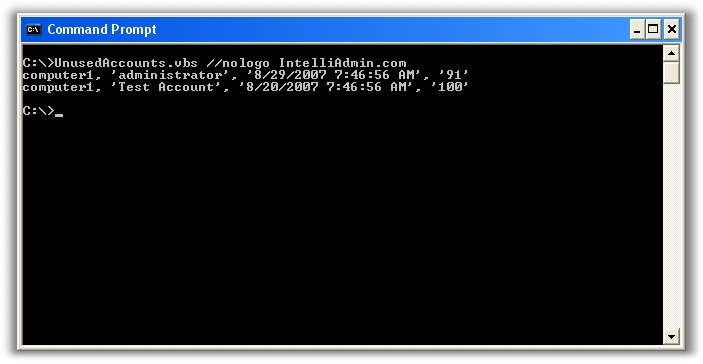
(Note: It can take up to 90 seconds for it to fail on a computer that is not available. This means the report can take some time to generate)
Execute the script like this from the command line to output it to a CSV file:
cscript.exe //nologo UnusedAccounts.vbs >> UnusedAccounts.csv
Then you could simply open the UnusedAccounts.CSV with Microsoft Excel and sort it the way you pleased.
One more thing…Subscribe to my newsletter and get 11 free network administrator tools, plus a 30 page user guide so you can get the most out of them. Click Here to get your free tools