
Many times I need to run away from my computer quickly…but I do not want to leave my computer unlocked.
So, yes, I am extremely lazy, well clumsy too. A few times when I am in a rush to CTRL-ALT-DEL I have knocked an entire bottle of water on to my keyboard.
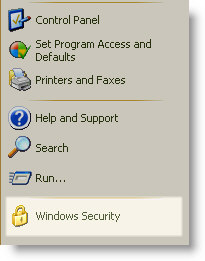
I know that windows has a shortcut for locking the computer. It shows up on the start menu when you remote desktop into a Windows XP machine. See the Windows Security Icon – That locks it.
Did some Google searching, and yes it is easy to create your own.
Right click on the desktop and Click on New, then Shortcut.
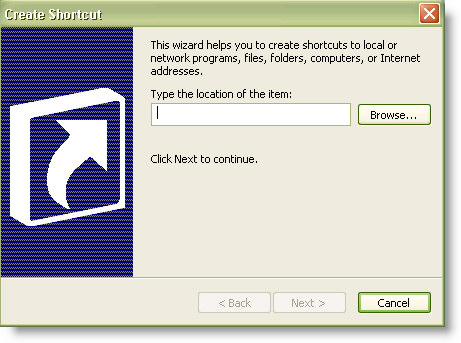
For the location, type this:
%windir%\system32\rundll32.exe user32.dll LockWorkStation
Click next, then give it a descriptive name like “Lock Workstation” and then click finish.
Now you have an icon to lock your computer on your desktop. You can do it without lifting two fingers (You still need one 🙂 )
One more thing…Subscribe to my newsletter and get 11 free network administrator tools, plus a 30 page user guide so you can get the most out of them. Click Here to get your free tools