
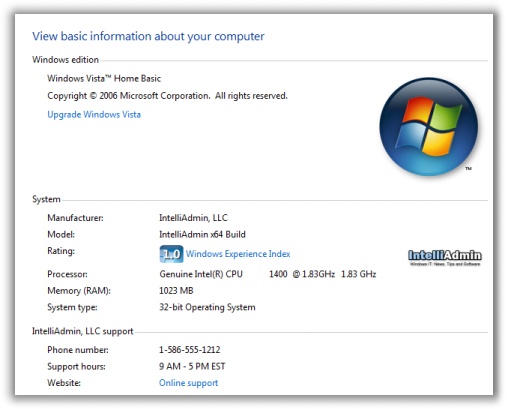
I was using a friend’s system and I noticed that the system properties window had a logo, and contact information for the local computer shop.
I knew right away there was no way they (The local store) had purchased any special version of Vista to do this, so I looked it up.
You can set a logo, and other custom information in the system information page by creating this registry key:
HKEY_LOCAL_MACHINE\
SOFTWARE\Microsoft\Windows\CurrentVersion\OEMInformation
You then create the following string values under it:
Logo – Full path to logo bitmap. Should be 120×120 pixels
Manufacturer – Name of the OEM system builder (Your company)
SupportHours – Your support hours
SupportPhone – Your support phone number
SupportURL – Your support website address
I updated it with a test logo, and my company info…and after a reboot:
While I was at it, I threw together an application that will do it all for you. I call it Vista System Builder Information 1.0. It takes care of the image too. When you apply the changes it will drop it into the c:\windows\ folder.
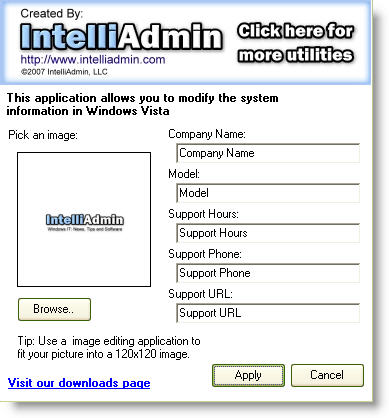
If you are in the business of building white box PCs, this is a nice way of adding that final touch to your build.
Here is the download link:
http://www.intelliadmin.com/VistaSystemBuilder.exe
One more thing…Subscribe to my newsletter and get 11 free network administrator tools, plus a 30 page user guide so you can get the most out of them. Click Here to get your free tools