
Back in November Microsoft quietly added KB925876 to their list of “Optional Software Updates”. I was foolish enough to simply select all, and install the latest version of Remote Desktop without even realizing it.
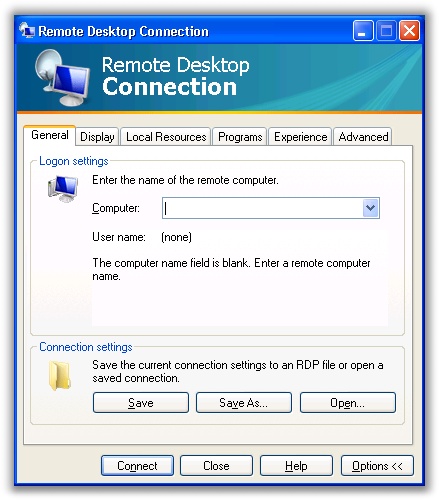
A few things annoy me about this release. First of all I wasted a considerable amount of time trying to figure out why the /console command line argument no longer works.
If you troll the MS blogs you will come across this post Look at the section “Why the /console switch is no longer needed”. Read it and come back to my post. What the hell do I care if applications use session zero or not? This is an implementation detail for programmers – not administrators.
In fact their reasoning is silly. Most administrators use the /console argument so they can:
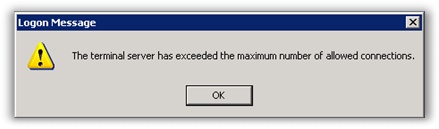
1. Keep reusing sessions without getting this message:
2. Connect to the console so they can see the same screen that you would see if you were sitting in front of the machine.
I have yet to run into administrator that says “Gee I need to connect to the console so this application runs correctly in session zero”
If you read further you will find that you can now use the /admin argument to have the same behavior as #1, but I have not tested yet to see if it allows me to connect to the same desktop that you would have sitting at the machine.
The least they could have done was popup with a warning or an error saying that the /console argument was no longer supported.
The next issue is a nit-pick. Maybe I was so annoyed by the /console problem that this change pissed me off more than it should have.
The location of the Remote Desktop Icon has been moved. It was under Start->Programs->Accessories->Communications…now it is right under the Accessories folder of the start menu:
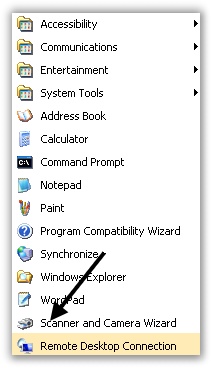
This sounds like a silly thing to get upset about…but it can cause lots of frustration when trying to walk (less knowledgeable) users over the phone to connect to their desktop at work. “What do you mean there is no Remote Desktop icon under communications?…” You get the picture.
On the flip side, the new client does support new features only available in Windows Server 2008:
· Network Level Authentication
· Server Authentication
· Plug and Play redirection
· TS Gateway support
· Monitor Spanning
· 32-bit color and font smoothing
If you want to try the new release out for yourself you can run automatic updates, and find it in the optional software items…or go to Knowledge Base Article KB925876
One more thing…Subscribe to my newsletter and get 11 free network administrator tools, plus a 30 page user guide so you can get the most out of them. Click Here to get your free tools