
We have a support contract with one of our software vendors. From time to time they need to login via Remote Desktop and make changes or updates for us.
I setup a special account that will notify me when they login to our server – that way I always know when they are on our system. They always work on it during business hours, and in the past they have always called us before doing any work.
This morning I see a notification email that they had logged in after 6pm last night. Grrr. I like them having their own account and password, and I don’t want to disable and enable their account each time they need to do work…so I decided to see if I could limit their allowed times for logging in.
It is actually much easier than I imagined. To do it you need to get on the domain controller, open up Active Directory Users and Computers, and double click on the user you want to limit (In this case I will use our support account)
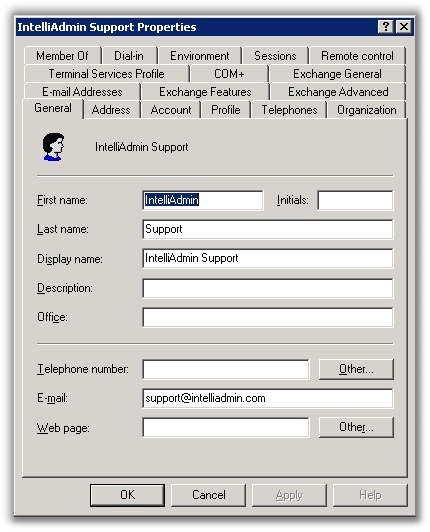
Then move over to the accounts tab, and click on the button that says “Logon Hours”
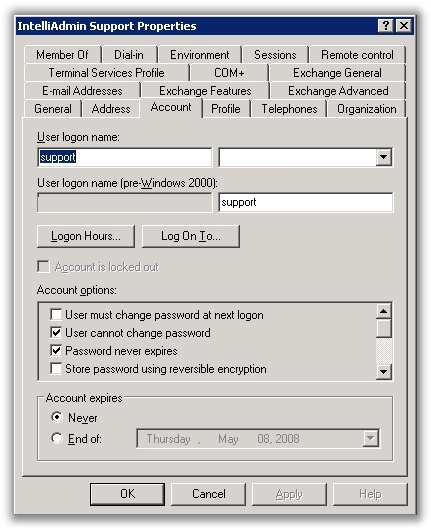
Once you click on that button, a window will appear that allows you to select the hours the user can logon.
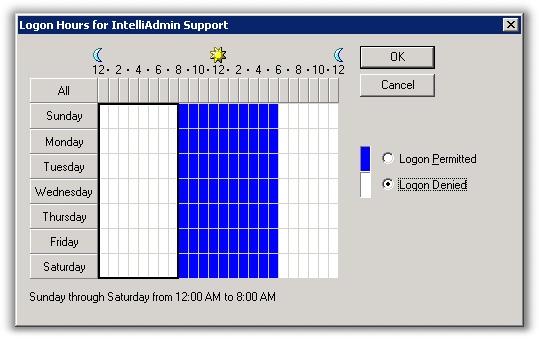
Simply make your choice, and now the user is limited to logon the hours you selected. If they try to logon during a restricted time, they will be greeted with this message:

Now you don’t have to worry about users sneaking in when they shouldn’t
One more thing…Subscribe to my newsletter and get 11 free network administrator tools, plus a 30 page user guide so you can get the most out of them. Click Here to get your free tools
{ 2 comments… read them below or add one }
thanks a lot this helped me a lot to understand about assignning log on hours for user accounts
Hi, how can I disable logon via script for a specific user?
We are allowing some users spontaneously logon for just the current day and a few hours and we don’t want to forget disabling them again.
Thanks