
We have been working on various test systems here, and sometimes we use the wrong serial number for Office 2007 (One that we have on other systems that are used for work instead of testing). I only figure this after I have installed the whole package.
I wanted to find a way of simply entering a new serial number after the fact.
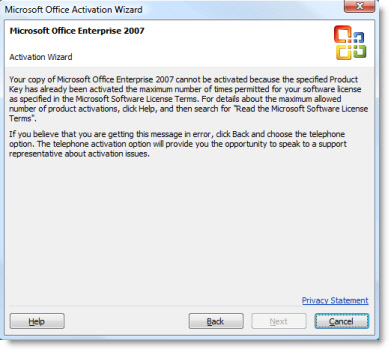
I researched to see if there was a way to update it without the reinstall…and it turns out it is actually not too hard.
You simply need to drill down to this registry key (As always backup your registry before messing with it):
HKEY_LOCAL_MACHINE\SOFTWARE\Microsoft\Office\12.0
\Registration\{90120000-0030-0000-0000-0000000FF1CE}
If you see more than one GUID, and it does not match the one above…Look through each until you find one with the ProductName of Microsoft Office 2007
Once you find the appropriate registry key look for the two values ProductID, and DigitalProductID? Delete these.
Now run launch any office application, and you will be prompted for the new serial number.
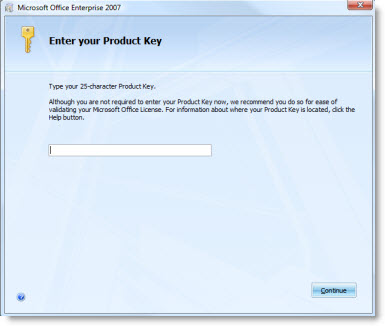
Now you can update the serial without waiting through a re-install.
One more thing…Subscribe to my newsletter and get 11 free network administrator tools, plus a 30 page user guide so you can get the most out of them. Click Here to get your free tools
{ 4 comments… read them below or add one }
Thanks a lot man. I don’t know you can believe on me, but I was looking for this kind of reseting office serial through windows “regedit”. Unfortunately I wasn’t able to do it ’cause I didn’t know what to look for. Thanks a lot again.
thanke you
Does this procedure work for Office 2010?
Thanks,
Dan
Probably not. They have changed the system since 2007. Not sure how to do the same in 2010
Thanks,
Steve