
We have many test systems here. Ranging from Windows 2000 Server, Windows XP Home, to Windows 2008 x64. Something I noticed today while testing…when I tried to connect to some Windows 2000 machines – the remote computer would not accept my password:
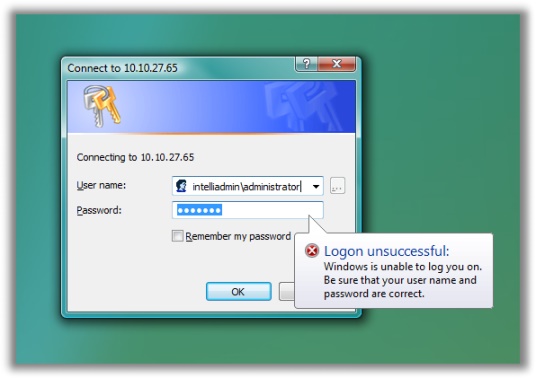
I happened to be working from a Vista Ultimate machine. So I went over to one of our XP Pro installs – it worked fine. The more testing I did, I realized it only happened with machines that were Windows 2000
Immediately I remembered that there were different levels of NTLM authentication, I thought that Vista might be enforcing a higher level through security policy.
On my Vista machine I opened the local policy editor (You can find this under administrative tools in the control panel).
Drilled down to Local Policies -> Security Options
Looking at:
Network Security: LAN Manager authentication level
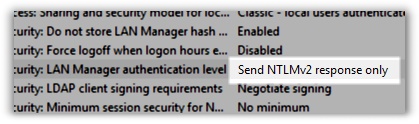
I see that it only will allow NTLMv2 responses. Since I know that my physical network is protected, and I know all of the machines running on it I changed it to this:
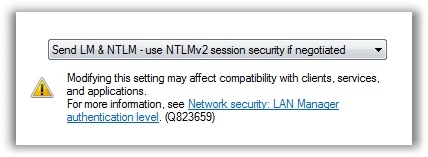
Now I can connect to the admin$ share…and any other share on Windows 2000 computers.
This tip comes with a warning. Obviously dropping this down makes your Vista install less secure. If you think it is possible that you could have a rogue SMB server (A specially crafted windows share) on your network, I suggest not changing this. setting.
One more thing…Subscribe to my newsletter and get 11 free network administrator tools, plus a 30 page user guide so you can get the most out of them. Click Here to get your free tools