
USB flash drives are a concern at most companies today. They can bring in viruses, spyware, or trojans. On the flip side they can easily be used to copy out important data. We have a free program called USB Disabler that allows you to entirely disable flash drives.
Since it was released we have constantly received emails asking if there was a way to have greater control. Could you allow one device while disabling another? Or better yet, I want the members of the “IT Staff” group to have permission to use flash drives, but no one else.
This pushed us to find a way to accomplish those goals. It has taken quite some time to build an application that can do this – happily we are releasing the first beta today.
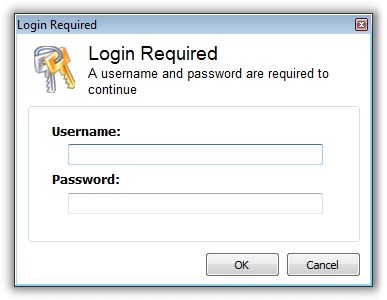
How does it work? First, you install the program and pick the type of user that will be allowed to have administrative access to the application (To block or allow flash drives)
Once you have completed that step an icon is displayed in the application tray. If you click on that tray icon and you are authorized:
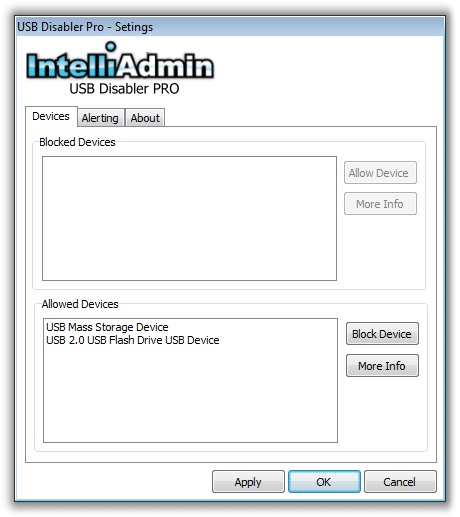
…you are shown the settings window. It allows you to see what devices have been inserted since the application was installed…and enable or disable them:
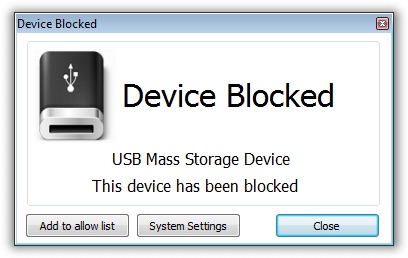
At any time, if a user plugs in a new flash drive it is disabled by default. A notification window will be displayed the first time it is plugged in, and the user will have the choice to enable it (If they have been given access)
During the beta program we are offering a special pre-release price of $9 per computer. This is 50% off the price when it is finally released.
To give the beta a spin, download it from here:
USB Disabler Pro Beta Download
Note: Windows 2000 is not supported.
Click here to pre-order at the discounted price
As always, send us your complaints, bug reports, and suggestions to support@intelliadmin.com
One more thing…Subscribe to my newsletter and get 11 free network administrator tools, plus a 30 page user guide so you can get the most out of them. Click Here to get your free tools