
We had a popular article a while back on disabling USB drives. We have had a request for doing the same with floppy drives.
There is a simple registry change that will keep the floppy drivers from starting when the system boots. If you want to change it yourself
As always – back your system up before messing around in the registry.
Just open regedit and browse to this key:
HKEY_LOCAL_MACHINE\SYSTEM\CurrentControlSet\Services\Flpydisk
Notice the value ‘Start’
Switch this value to 4, and floppy drives are disabled.
Switch this value to 3, and floppy drives are enabled.
For those of you that don’t feel like messing around in the registry –
We wrote a program to do it for you:
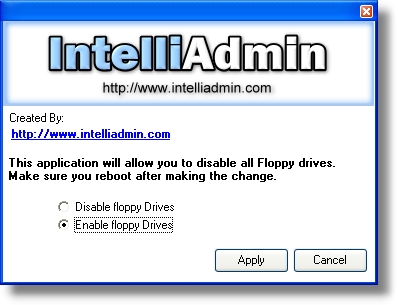
One final note – stay tuned. We will release another version of this tool soon (Free of course) That will let you remotely disable, or enable floppy drives on your network.
One more thing…Subscribe to my newsletter and get 11 free network administrator tools, plus a 30 page user guide so you can get the most out of them. Click Here to get your free tools