
I admit it. I still have a hotmail account. I have had a hotmail account since they started way back in the day – before Microsoft had anything to do with it. They were one of the first web based free email sites on the internet.
For quite some time now I have been happily using hotmail within Microsoft Outlook. It makes it easier since I can bring all of my email accounts into the same program. That way I don’t have to keep checking 3 different sites to see all of my new email.
Someone asked a question today in our discussion board about hotmail, and IE 7. The user installed IE 7, and now Outlook keeps asking for the password for hotmail – even when it is correct.
Ok. I decided to test this for myself. I got on one of my test systems and installed Microsoft Outlook, and the Hotmail account
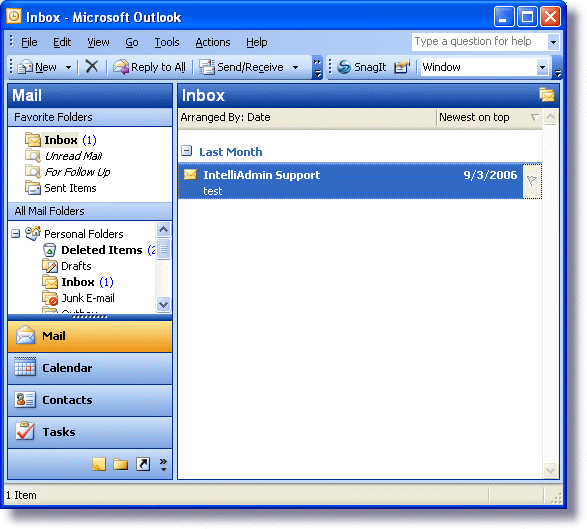
Got it working smoothly, and then proceeded to install IE 7. After the reboot I launched Outlook and sure enough it was asking me for the password.
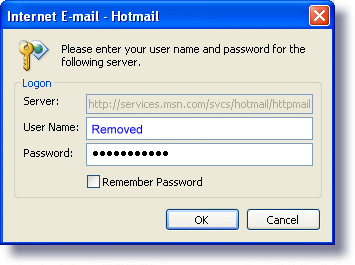
Searched for quite some time through MS knowledge base and finally found KB 904942.
The frustrating part about this is that the only download they have is for the 64 bit version of Windows!
After searching the newsgroups and message boards I found out that this update can be installed via automatic update. You need to run automatic update, then pick the Software, Optional Updates setting on the left. Sure enough you will see it on the list:
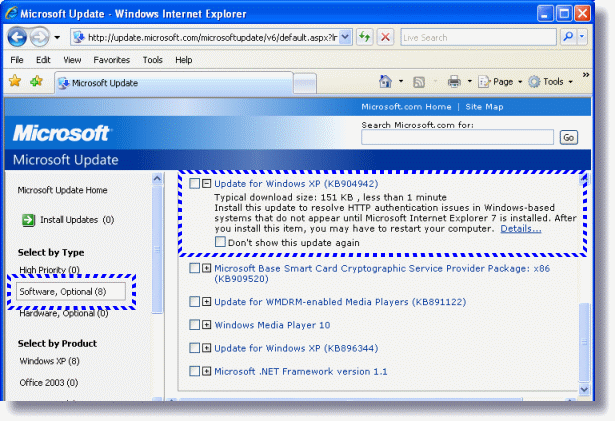
After installing the update Outlook worked perfectly again.
Update: Looks like another user answered the question while I was writing the article. Thanks Joshua!
One more thing…Subscribe to my newsletter and get 11 free network administrator tools, plus a 30 page user guide so you can get the most out of them. Click Here to get your free tools
{ 4 comments… read them below or add one }
This still does NOT show how to
correct Hotmail or install IE7
Hotmail will not allow mail to
be read at times and Microsoft
refuses to answer qestions,or
repair problems…UNLESS you pay
one of its Technicians,with no
garentee…which is a “rip-off”
Will this comment deserve an
answer?….Highly doubtfull!
Like all the rest of Microsoft
ways to help…work on computer
for hours and days and end up
with a ‘crashed-computer’
Thanks………… Bert
I hate outlook! Where is the other format of Hotmai??? Outlook SUCKS!!!!
OUTLOOK SUCKS!!!!!!
I WANT MY HOTMAIL BACK!!!!!