
When VB Script executes a command line program it opens a new window. This can be especially inconvenient when you want to incorporate an external application into your script.
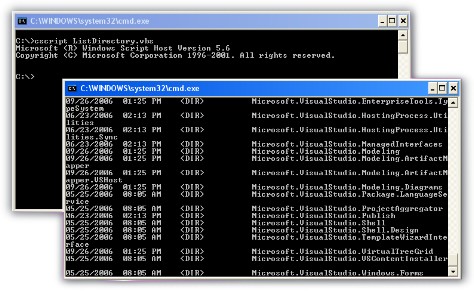
There is a way to have your script keep the console application within the same window, and wait for it to complete.
What we will do is launch the process, and then forward all of the console output of the script. When the process has terminated we exit the loop.
Here is a function that you can drop into your script (Click here to download)
Function ExecuteShellProgram(ByVal sFileName)
Dim poShell
Dim poProcess
Dim iStatusSet poShell = CreateObject(“WScript.Shell”)
Set poProcess = poShell.Exec(sFileName)‘Check to see if we started the process without error
if ((poProcess.ProcessID=0) and (poProcess.Status=1)) then
Err.Raise vbObjectError,,”Failed executing process”
end if‘Now loop until the process has terminated, and pull out
‘any console outputDo
‘Get current state of the process
iStatus = poProcess.Status‘Forward console output from launched process
‘to ours
WScript.StdOut.Write poProcess.StdOut.ReadAll()
WScript.StdErr.Write poProcess.StdErr.ReadAll()‘Did the process terminate?
if (iStatus 0) then
Exit Do
end if
Loop‘Return the exit code
ExecuteShellProgram = poProcess.ExitCodeEnd Function
Here is a simple example. I am going to call the command interpreter, and do listing of the windows folder:
ExecuteShellProgram “%COMSPEC% /c dir c:\windows”
(%COMSPEC% is a system variable that is set to the full path and file name of the command interpreter cmd.exe)
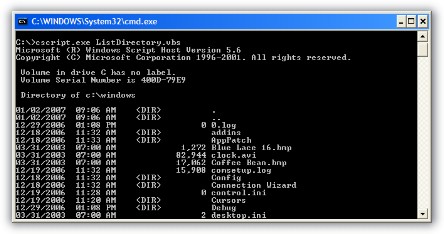
Now you can execute your console helper applications – and use the output in your script.
One more thing…Subscribe to my newsletter and get 11 free network administrator tools, plus a 30 page user guide so you can get the most out of them. Click Here to get your free tools
{ 2 comments… read them below or add one }
Thanks!! You save a lot of my time.
It’s quite interesting that the WScript.Shell object have the stdin and stdout pipe default.
Very good.
Some one help me
I want to make a batch file which runs a task on server and this batch file will be run from a computer on network i am not aware of scripts and batch any one please give me code of this that how to run the task in task schedular.
I am using windows server 2008R2
Thanks