
I stumbled across a cool utility provided by Microsoft. It is actually a Sysinternals tool created by Mark Russinovich. If you are the type that likes to get every sliver of performance out of your system – then this is for you.
It is called PageDefrag
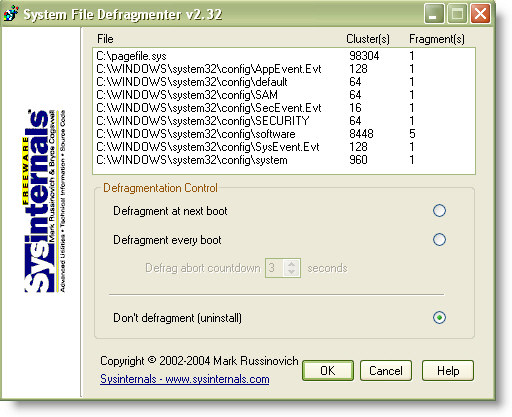
It essentially allows you to defragment the page file, and all of the registry files that are normally in use while your system is running.
You can set it to run once on the next boot, or run every time the system boots up.
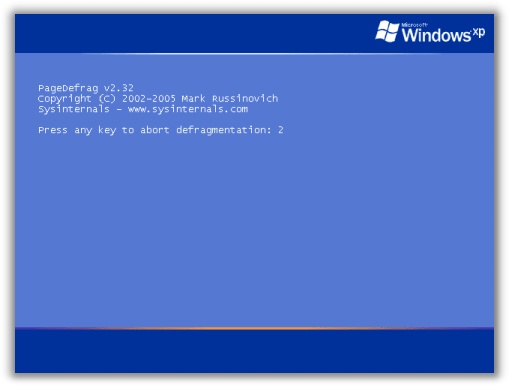
It works quite well, and once you set it to run each time at boot it works quickly. The best part is you are given the option to cancel it if you are in a hurry.
Get your free copy from Microsoft
Update 9/27/2007 (9:30 AM) – I received a note from Ivan at http://www.cybermag.com:
I have one comment about Page Defrag, if you attempt to defrag a Pagefile it might take a very long time, especially if the system has lots of RAM, one example, I have some PCs with 1.5 GB of RAM and even with only 2 fragments the process will take forever, of course the less memory the system has the pagefile will be smaller, the way I circunvent this is by deleting the pagefile (booting to command prompt), it doesn’t matter how defragmented the registry is (I’ve seen some horror show registries) the utility runs thru like nothing, the most I’ve waited is 1 minute.
Just my 2 cents.
This is a very good point. I have not had this happen to me yet, but I would imagine on a system that has a page file that has been around for a while would take a long time to defrag.
One more thing…Subscribe to my newsletter and get 11 free network administrator tools, plus a 30 page user guide so you can get the most out of them. Click Here to get your free tools