
News, Product Information, and Tips
Check out our free utlities in the downloads section

Remote Administration


Remote Administration For Windows. Easy remote access of Windows 7, XP, 2008, 2000, and Vista Computers

Click here to find out more

Create Outlook Profiles


No more setup wizards in Outlook. Setup Outlook Profiles automatically from the command line

Click here to find out more

Network Administrator


Reboot Hundreds of computers, disable flash drives, deploy power managements settings.

Click here to get your free copy of Network Administrator. Over 25 plugins to make your life easier

USB Disabler


Disable Flash Drives for specific users, or only allow specific drives.

Click here for your free trial

Search

Archives

Utiltity that shows you all startup programs

by Steve Wiseman on October 17, 2007 · 0 comments

in Windows

I just finished helping a friend remove some pretty bad spyware from his system. In addition to the usual removal tools – AdAware, and Spybot I found the Autoruns utility from Sysinternals to be very useful.
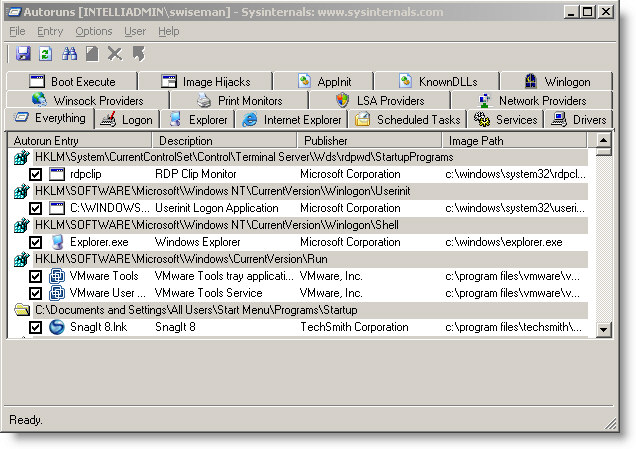
Auto Runs Utility

It is a comprehensive piece of software that will allow you to see every possible startup program in one place. It beats searching through the registry by hand.

Best of all it is totally free, and can be downloaded from Microsoft here:

http://download.sysinternals.com/Files/Autoruns.zip

More info about the utility can be found here:

http://www.microsoft.com/technet/sysinternals/ProcessesAndThreads/Autoruns.mspx

Like this article? Then sign up for my newsletter to get free tips and software sent right to your inbox once a week. Like you, I hate spam – I will never spam, or sell your email address.

Related Articles:

Leave a Comment

Category Links - Windows Forum - Exchange Forum