
I use the command prompt quite a bit, and I was looking for a way to launch it directly from a folder I am looking at in explorer.
It turns out this is not too hard to do. I found a way to add a menu item when you right click on the folder. I will walk you though the steps to do it yourself
First open regedit, and browse to HKEY_CLASSES_ROOT\Directory\shell
Drill down to the ‘directory’ key, then the ‘shell’ key under that.
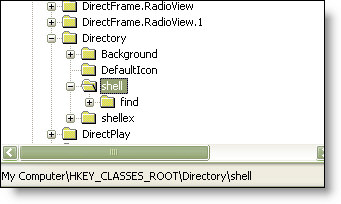
Under this create a new key named “cmd”. Once created, double click on the default value on the right
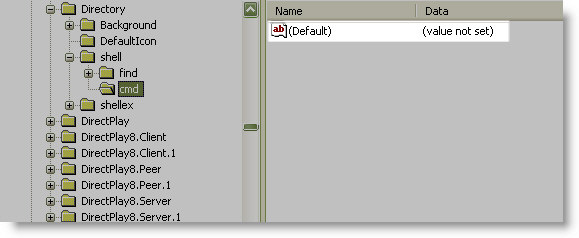
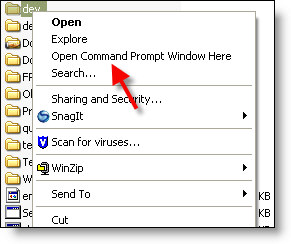
The text you type in here will be the description on the menu. I used “Open Command Prompt Here”. This is what it will look like when we are finished:
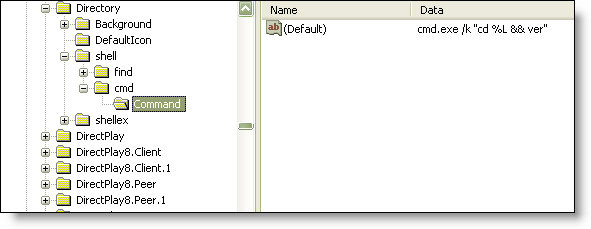
Under the cmd key you created, create another key named “command” Set the default value for this to
cmd.exe /k “cd %L && ver”
This is what it should look like in regedit:
Now when you right click on a folder you can launch a command prompt right in it.
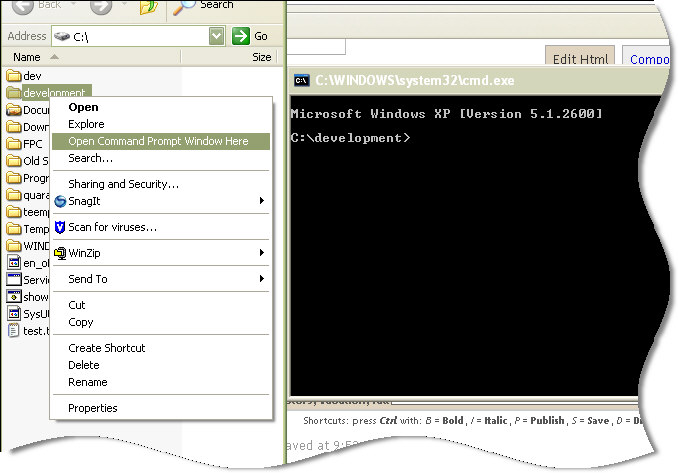
Now here is the bonus. I created a little application that will do this all for you
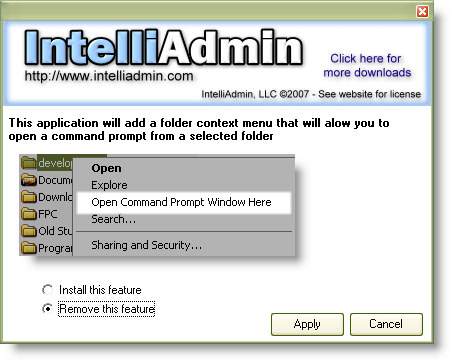
Click here to download it. As always no spyware or adware – only freeware goodness.
One more thing…Subscribe to my newsletter and get 11 free network administrator tools, plus a 30 page user guide so you can get the most out of them. Click Here to get your free tools
{ 1 comment… read it below or add one }
There is a problem,
when I “right Click” to open cmd.exe in a folder the Command Window acts like it is running and closes down after every file is passed thru the cmd window.
What could be the cause of this problem??
I can also set it for Admin operation command also but it does the same.
{ [HKEY_CLASSES_ROOT\Directory\shell\runas] }
{ @=”Open Command Window Here (Administrator)” }
{ [HKEY_CLASSES_ROOT\Directory\shell\runas\command] }
{ @=”cmd.exe /s /k pushd \”%V\””}