
I have been playing around with the SystemInfo command in windows, and I wanted a concise way to see what the uptime of my system was.
It is actually very simple. Get a command line, and type:
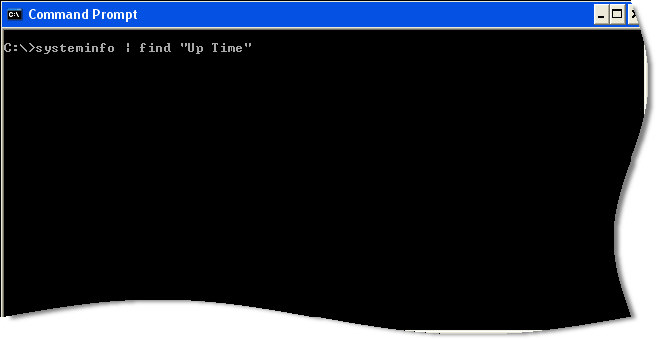
It will go through some calculations, and finally come back:
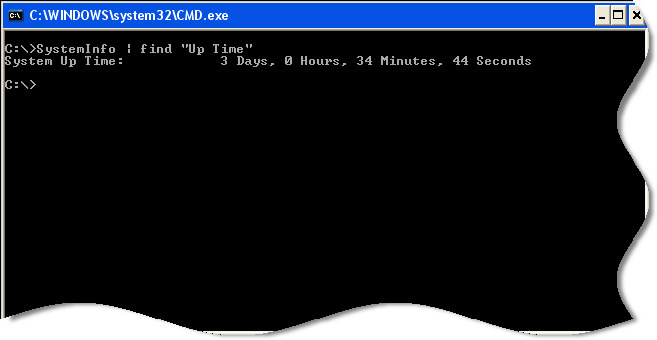
This is a very simple way to see if that server, or workstation was really rebooted.
Note: It seems that I have been caught using Windows XP again. Can’t help it…so much faster than my Vista box. The above command will not work for 2008, or Vista. This is because Microsoft has changed the output of SystemInfo. To get very similar info for those two operating systems you can use: “systeminfo | find “System Boot Time”
Update #2: On Windows 2003 it is different too: “systeminfo | find “System Up Time”
One more thing…Subscribe to my newsletter and get 11 free network administrator tools, plus a 30 page user guide so you can get the most out of them. Click Here to get your free tools
{ 10 comments… read them below or add one }
I’ve tried the Update #2 on windows 2003, dont seem to work though. The commands runs and then returns a command prompt. I’ve piped the output to a text file and there’s nothing in it.
Ah! the caps must be exact. working great!
Why you want make such complicate … just type simple command uptime gives you the result.
C:\>uptime
\\xxxxxxxxxxx has been up for: 4 day(s), 21 hour(s), 6 minute(s), 19 second(s)
“uptime” is a separate app which must be installed, it doesn’t exist by default. the “sysinfo” command does exist by default on 2003.
Note #2 is not needed, Up Time is a sub-string, so it is found.
Thanks for the tip!
Great – thanks! 🙂
I needed to modify this to:
systeminfo | find “Boot Time”
the correct is systeminfo | find “System Boot Time”
it’s working.
Am using it on 8.1 and result is incorrect. It is showing a time of 01:30 on 28th and the machine was powered off on the morning of 29th due to electricity outage until midday and then rebooted at least twice after that.
Not much we can do about that right? It is a MS command. What happens when you just call SystemInfo.exe by itself? Does it show the proper time?