
I was trying to install Microsoft Exchange 2007 on a new 2008 server.
During the install plan I got to this step:
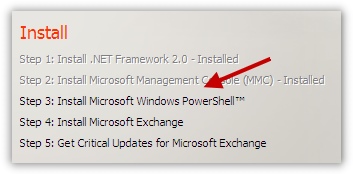
If you click on that link it leads you to a download page. Everywhere you look you see downloads for 2003, and XP. Nothing about Windows Server 2008.
I decided to try one of the 2003 downloads to see if that was acceptable – nope.
OK, Looking around the net I read everywhere that PowerShell is cooked into Windows 2008 server.
Hmm….That means it should be a ‘feature’ under server manager.
Sure enough, in server manager I found it, and was able to install it.
To do this click on the start menu, then administrative tools, and finally server manager.
The server manager will pop up, then click on the features icon:
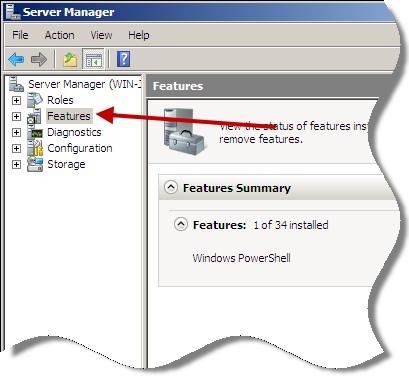
Then, click on the “add features” button to the right. A list of features available to you will be displayed. Pick Windows PowerShell:
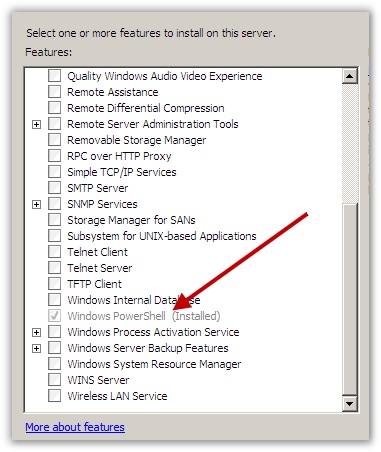
(Notice that I already had installed in the shot above)
After that I learned you can’t install Exchange 2007 on 2008 server. Doh!
I am sure it is possible, but Microsoft currently does not support it.
Back to the drawing board.
One more thing…Subscribe to my newsletter and get 11 free network administrator tools, plus a 30 page user guide so you can get the most out of them. Click Here to get your free tools
{ 1 comment… read it below or add one }
You need to download Exchange 2007 SP1 [free download] from Microsoft to install on Windows Server 2008.
http://www.msexchange.org (as I’m sure other resources out there) have guides for installing Exchange 07 SP1 on Server 2008, but the process is straightforward regardless of whether you use a guide or not.