

I got a question from Mike this week:
“Hi steve. Hope all is well. I am the IT manager at a small bank in Texas. We have lots of patch management tools…so I am not looking for that. Before an audit I would like to quickly force all of my machines to download and install the latest security patches from MS. Is there any way to force Windows to do this from the command line? And I mean like right now! 🙂 Not next Tuesday. Thanks!”
I came across a script right on Microsoft’s website that can do something close to what you want:
http://msdn.microsoft.com/en-us/library/windows/desktop/aa387102(v=vs.85).aspx
It has a few issues. First, it tries to install all patches. Like the latest version of Internet Explorer, major service packs, and that ridiculous Windows Search 4.0. These require user intervention, and might even break things.
Another issue with the script is that it does not let you know when it failed because the network is down.
We took that script changed it to only include security updates. That way it gets to the core of the issue – getting the latest security patches, without any extra stuff.
With our new version of the script we created a plugin for Network Administrator. This will allow you to remotely install the latest security patches across your network:
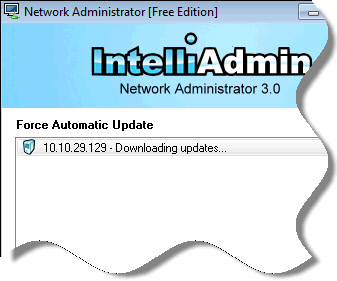
If the computer already is up to date, it will say: “This computer is up to date”
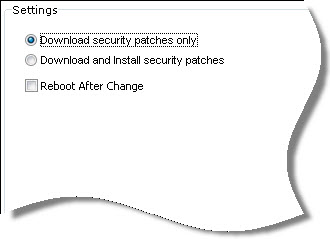
You can tell it to just download, or download and install. There is even an option to reboot when the install is complete:
The free version allows you to work with three computers at a time. You can get it from our download page:
http://www.intelliadmin.com/index.php/downloads/
What about that script? If you want to do it yourself without Network Administrator, here is the updated version:
http://www.intelliadmin.com/ForceAU.dat
Just rename it to ForceAU.vbs, and call it like this from the command line:
cscript.exe ForceAU.vbs
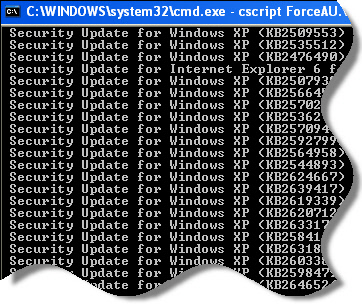
Once it starts, it will zoom through and install the latest security patches:
The script, and the plugin work with Windows XP, 2003, Windows Vista, Windows 7, and Windows 2008.
It does require administrator access, so if your users have a limited account you will need to either use the task scheduler, group policy, or Network Administrator.
One other thing to note, is that it does not install service packs – So keep that in mind when using the plugin, or the script.
One more thing…Subscribe to my newsletter and get 11 free network administrator tools, plus a 30 page user guide so you can get the most out of them. Click Here to get your free tools
{ 11 comments… read them below or add one }
Steve,
How in the *hell* did you find those methods in VB Script?
I have the god awful script that launches IE, and has code to check for each different version of IE so it can do the proper clicks and stuff.
I am going to try your script first thing in the morning when I get to the office
Hi there Dave. I spent a lot longer on this script that I originally thought, and I had some help too 🙂 Indeed it was not easy to find the Category option that allows the script to skip the service packs, IE upgrades, and that Windows Search 4.0…especially since this solution works with other language versions of Windows
Steve,
What a great tool. Thanks for this
Hi Steve,
I purchased Network Administrator a while back. How do I install this latest plugin?
Hello,
If you already have a previous version…simply make sure it is not running, and install the latest from here:
http://www.intelliadmin.com/NetworkAdministrator.exe
It will automatically install the new plugins.
This is true for the free, and paid versions.
Downloaded the free trial and tried to patch an xp machine with sp3. If manually checked on pc, there are 118 patches available, when I try with NetAdmin is says the pc is up to date. Was looking to push down the latest critical MS patch as at 21/09/2012.
Hello Robin,
Is it possible you picked the option “Download Only”?
If so it could show that the PC is up to date because all of the patches are downloaded (But not installed)
Thanks,
Steve
Looks like we found the issue with updates not showing. We were not clear in the plugin that it was only downloading critical updates.
We have updated the plugin to allow non-critical updates…and it also now has the ability to just show what updates are needed, and take no action.
Get the latest version from here:
http://www.intelliadmin.com/NetworkAdministrator30.asp?id=free
This is exactly what I was looking for. Thanks! Using just the script, is there a way to add an automatic reboot command (if required) right in the script itself?
Although i can run ForceAU.vbs from the use of RemoteExecute i get error stating to check internet connection.What is wrong ? note: i use proxy because of domain. Pls advice
It could be because you have a Windows Update Server setup and the machine cannot contact it. Is that a possibility?